Tell us the task. We’ll confirm what’s possible and what’s included.
OUR SOFTWARE, RUNNING IN MT500:26
ChartSteerPosition sizing. Order preparation. Trade management.
A product we built. The video shows its interface and workflow.
Custom MQL4 / MQL5Written scope & fixed quoteReview against agreed test cases
START WITH ONE CLEAR TASK
What needs to work better?
Choose a starting point. We review your rules or existing code before confirming the final price and delivery date.
01 / REPAIR & EXTEND
Fix or improve an existing tool.
Fixed quoteafter we review the issue
A reproducible bug or one small feature in an existing EA or indicator.
Review the issue and expected behavior
Agree a defined fix and test case
Receive the updated files and change notes
Editable source code you have permission to modify is required. Complex repairs are quoted separately.
02 / INDICATORS & ALERTS
Your rules. On your chart.
Fixed quoteafter we review your rules
A custom calculation, chart overlay or alert built for MT4 or MT5.
Define plots, inputs and alert behavior
Agree when values update or recalculate
Test against your example charts
One platform and a defined rule set. Multi-timeframe logic, external data and complex panels need a separate quote.
03 / EXPERT ADVISORS
A defined strategy. Built into an EA.
Fixed quoteafter we review your strategy rules
Automate explicit entry, exit and risk rules on a single MetaTrader platform.
Turn the brief into testable rules
Build the agreed inputs and controls
Review execution against test scenarios
Simple logic on one MetaTrader platform. Complex strategies and integrations take a longer scope review. No return or profit promises.
Every agreed build
Defined deliverables · One review round · Setup notes · 14-day support for defects against the agreed scope. Source delivery and ownership are confirmed in your quote. New requirements are scoped separately.
SEE THE DETAILS
Real tools. Real chart interfaces.
Two examples of our MetaTrader 5 work. Your project is built to its own requirements.
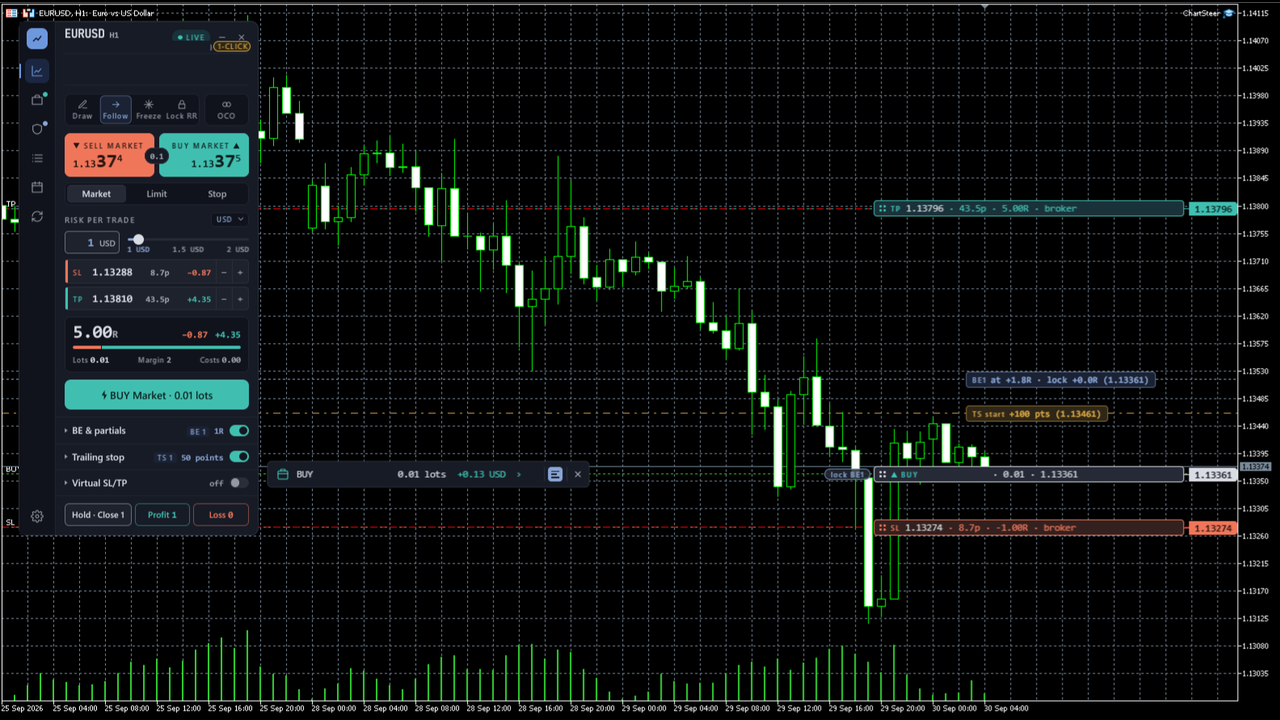
CHARTSTEER / TRADE MANAGEMENT
Controls, where you use them.
Position sizing, pending-order preparation and trade-management settings in an MT5 chart workspace.
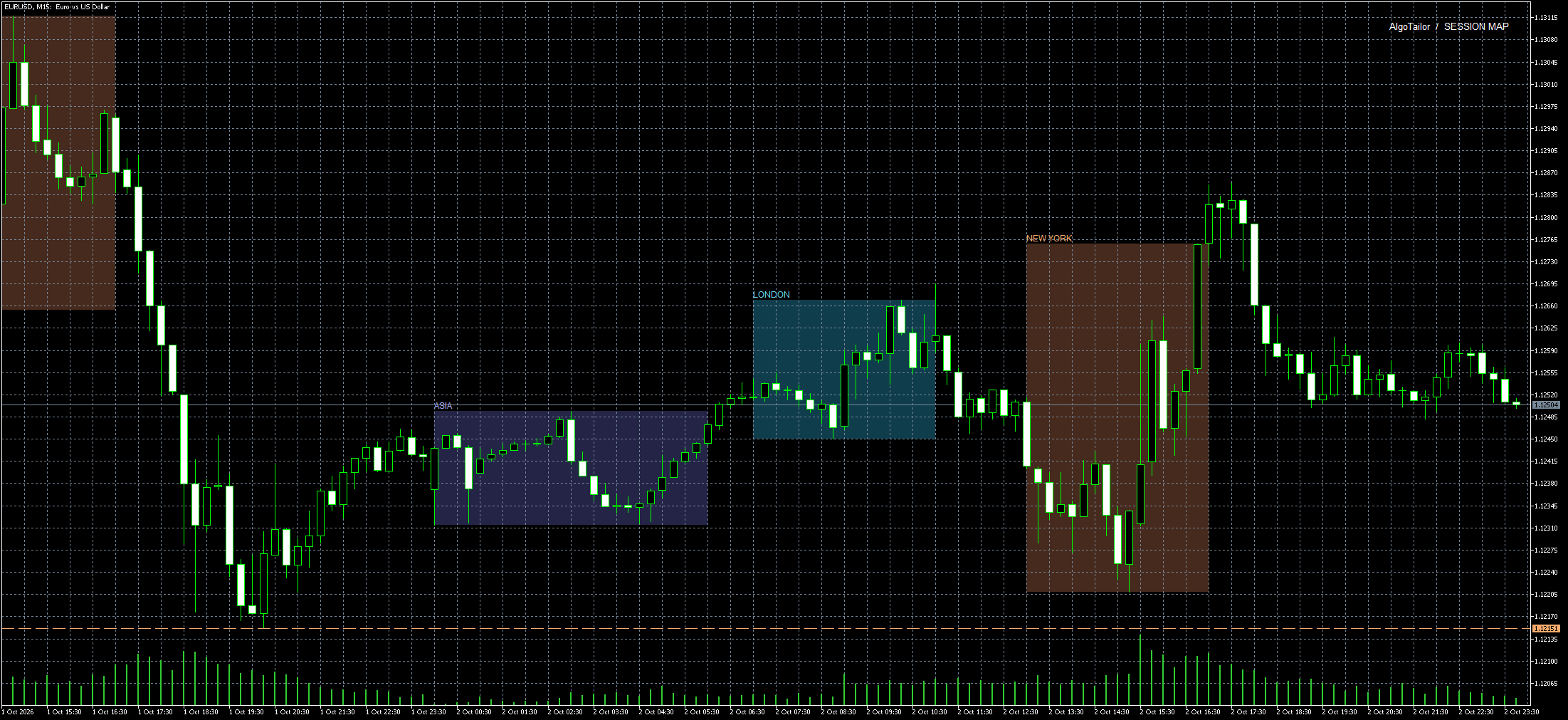
SESSION MAP / CUSTOM INDICATOR
The trading day, in context.
Session ranges and previous-day levels, with session hours adjusted to the chart’s broker time.
OUR APPROACH
A clear brief. A better build.
Know what will be built, how it will be reviewed and what you will receive before development starts.
01
Tell us what you need
Share your platform, rules and examples. Have an existing tool? Tell us what needs to change.
02
Agree the scope
Confirm the features, deliverables, test cases, price and timeline before work begins.
03
Build, review, hand over
Review the software against your brief. Receive the agreed files, setup guidance and support terms.
BEFORE YOU SEND A BRIEF
A few clear answers.
What do you need to quote my project?+
Your platform, what the tool should do, what it currently does, and one example or screenshot. For repairs, tell us whether you have the editable .mq4 or .mq5 source and permission to modify it. You can attach files in live chat after sending your enquiry.
How is the price set?+
Every project gets one fixed price after a scope review. We review complexity, inputs and acceptance cases, then confirm a written quote, delivery date, payment terms and included support before starting. Sending an enquiry does not commit you to a purchase.
Can you work with only an EX4 or EX5 file?+
Compiled files are usually not enough to edit an existing tool. We can assess a separate build from a specification you have the right to use. We do not remove licensing protections or decompile someone else’s software.
What happens after delivery?+
Review the agreed test cases and setup notes. One review round and 14 days of defect support against the agreed scope are included. New features, strategy changes and later platform changes are quoted separately.
Describe the problem or feature. We usually reply within 12 hours to clarify the scope and prepare your quote. You can attach screenshots or source files in live chat after sending.
Send a short summary and continue the conversation in this browser.